What Is OCR and Why You Need It
OCR turns scans, photos, and PDFs into searchable, machine-readable text. Learn how it works, why it matters, and where to start automating your documents.
What is OCR?
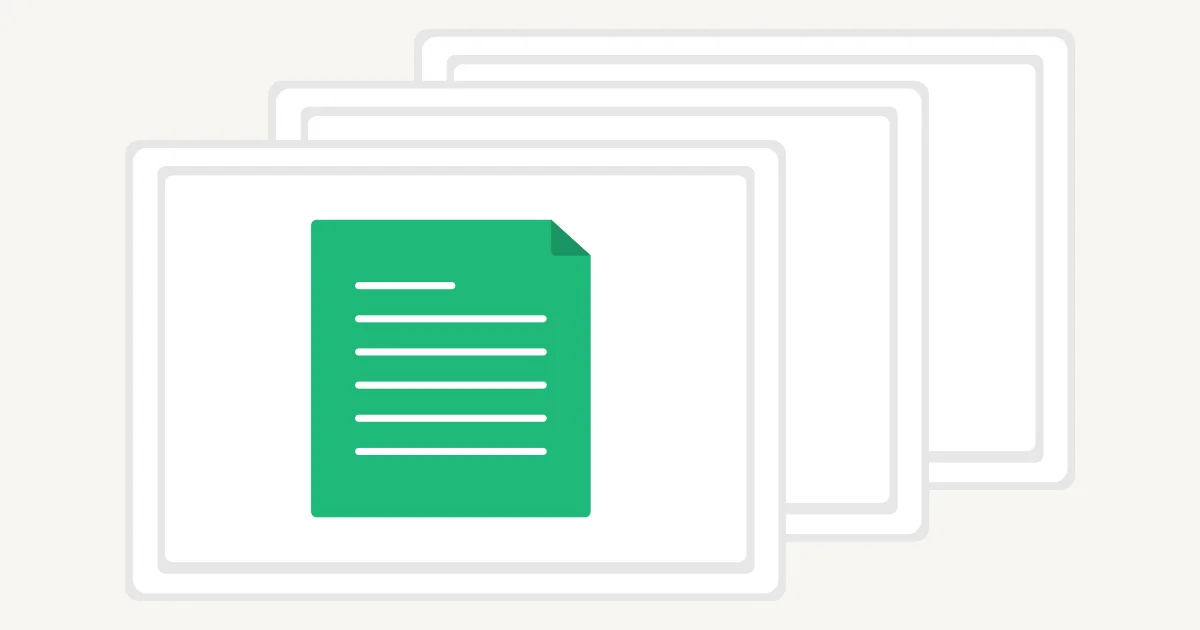
OCR stands for Optical Character Recognition. It is a technology that converts text in images, scanned documents, and image-based PDFs into machine-readable text.
To a computer, a scanned page is usually just a collection of pixels. The words may be visible to you, but they cannot necessarily be selected, searched, copied, or edited. OCR identifies the characters on the page and turns them into digital text that software can work with.
In short, OCR turns pictures of text into usable text.
What does OCR do?
Imagine taking a photograph of a receipt. The image contains a shop name, a date, a list of items, and a total, but those details are part of the picture. OCR analyzes the image and produces a text version of what it finds.
That text can then be used in several ways:
- added to a searchable document;
- copied into another application;
- edited or translated;
- read aloud by assistive technology;
- indexed for document search; or
- passed to other software for classification or data extraction.
OCR is the recognition step. Turning the recognized text into fields such as invoice_number, date, or total usually requires additional document-processing software.
How does OCR work?
The exact process varies between systems, but OCR commonly involves the following stages:
- Image capture — A scanner, camera, or software application provides an image of the document.
- Preprocessing — The image may be rotated, straightened, sharpened, or cleaned to make the text easier to recognize.
- Text detection — The system identifies the parts of the image that contain text and separates them from photographs, borders, and other page elements.
- Text recognition — Pattern-recognition or machine-learning models compare the visible shapes with letters, numbers, punctuation, and words.
- Post-processing — The system may use language context, dictionaries, layout information, and confidence scores to improve or organize the result.
Traditional OCR was designed mainly for clear, printed characters. Modern systems can also process more difficult material, including photographed pages, unusual layouts, multiple languages, and some handwriting. Results still depend heavily on the document and the OCR system being used.
Why might you need OCR?
OCR is useful whenever important information is trapped inside a scan or image. It can reduce repetitive work and make document collections easier to use.
Make scanned documents searchable
A folder full of scanned contracts or reports can be difficult to navigate because ordinary search tools cannot find words inside image-only pages. After OCR, the recognized text can be indexed so documents can be found by names, phrases, reference numbers, or other content.
Reduce manual typing
Copying information from invoices, receipts, forms, and records takes time and introduces errors. OCR provides a starting point for automated data entry. Depending on the accuracy required, a person may still need to review the result.
Edit and reuse printed text
OCR can recover text from a printed page when the original digital file is unavailable. The result can be corrected, reformatted, quoted, translated, or moved into a new document without retyping everything.
Support document accessibility
Recognized text can help screen readers and text-to-speech tools interact with material that would otherwise be available only as an image. OCR alone does not make every document fully accessible; headings, reading order, language information, and image descriptions may also need to be added.
Organize and analyze archives
Once text can be searched or processed by software, large collections become more useful. Organizations can classify documents, find repeated terms, identify relevant records, or prepare recognized text for further analysis.
Common OCR examples
You may already use OCR without thinking about it. Common examples include:
- making scanned books, reports, and historical records searchable;
- copying text from a photograph on a phone;
- reading printed details from invoices and receipts;
- digitizing typed forms and questionnaires;
- recognizing text on passports, licenses, and other identity documents;
- converting business cards into contacts;
- reading signs or menus before translating them; and
- adding a searchable text layer to scanned PDF files.
In many of these cases, OCR is one part of a larger workflow. For example, OCR can read the name printed on an identity document, while separate checks are needed to determine whether the document is genuine or belongs to the person presenting it.
OCR and PDFs: what is the difference?
Not every PDF needs OCR.
A born-digital PDF is created directly by software such as a word processor. It normally contains real text that can already be selected and searched.
A scanned PDF contains photographs of pages. It may look like a normal document, but the visible words are stored as pixels. OCR can add a text layer to those page images, allowing the document to become searchable and its text to be copied.
Some PDFs contain both digital text and scanned pages. These mixed documents may need OCR only on the pages that do not already contain usable text.
How accurate is OCR?
OCR is not always perfect. Its accuracy can be affected by:
- blurred, dark, or low-resolution images;
- pages photographed at an angle;
- decorative fonts or very small text;
- handwriting;
- stains, folds, stamps, and background patterns;
- tables, columns, and complicated page layouts;
- uncommon languages or mixed writing systems; and
- damaged or faded source documents.
A clean printed page can produce an excellent result, while a handwritten or degraded document may require significant correction. Accuracy should be tested with the actual document types you plan to process, especially when mistakes could affect financial, legal, medical, or identity-related decisions.
Is OCR right for your documents?
OCR may be helpful if you regularly need to search, copy, edit, translate, or extract information from scanned pages and images. Before choosing a tool or workflow, consider:
- what types of documents you have;
- which languages and writing systems they contain;
- whether you need plain text, preserved layout, or specific data fields;
- how accurate the output must be; and
- whether sensitive documents require particular privacy or retention controls.
Testing a representative group of documents is more useful than relying on a single general accuracy claim.
Frequently asked questions
Is OCR the same as scanning?
No. Scanning creates a digital image of a page. OCR analyzes that image and attempts to recognize the text within it.
Can OCR read handwriting?
Some OCR systems can recognize handwriting, but results vary widely. Neat, consistent handwriting is generally easier to process than cursive, overlapping, or faint writing.
Is OCR 100% accurate?
No OCR system is accurate for every document. Image quality, language, layout, and typography all influence the result. Important output should be reviewed or validated.
Does OCR work on PDFs?
Yes. OCR is commonly used on scanned and image-based PDFs. A PDF that already contains selectable digital text may not need it.
Final thoughts
OCR is the link between documents people can see and text that computers can use. It makes scanned material searchable, editable, and available to other software, saving time that would otherwise be spent finding or retyping information.
It is not a complete solution for every document problem, and it does not eliminate the need for quality checks. But when text is locked inside images or scanned pages, OCR is often the first step toward making that information useful.